With the Umbraco V13 RC1 out today, I wanted to do a bit of playing and hacking around with the new features. One new feature I am excited about is Webhooks.
Out of the box Umbraco V13-rc1 supports:
- Content Publish
- Content Unpublish
- Content Delete
- Media Save
- Media Delete
With the lovely DTeam working on this feature they have made it possible to extend which Umbraco Notifications (aka events) can fire off a Webhook. So let’s jump on in and take a look at the code.
Just show me the code
using Microsoft.Extensions.Options;using Umbraco.Cms.Core.Configuration.Models;using Umbraco.Cms.Core.Models;using Umbraco.Cms.Core.Notifications;using Umbraco.Cms.Core.Services;using Umbraco.Cms.Core.Sync;using Umbraco.Cms.Core.Webhooks;namespace UmbracoV13Playground.MyCustomWebhooks;public class MemberDeletedWebhookEvent : WebhookEventBase<MemberDeletedNotification, IMember>{ public MemberDeletedWebhookEvent( IWebhookFiringService webhookFiringService, IWebHookService webHookService, IOptionsMonitor<WebhookSettings> webhookSettings, IServerRoleAccessor serverRoleAccessor) : base( webhookFiringService, webHookService, webhookSettings, serverRoleAccessor, "MemberDeleted") { } protected override IEnumerable<IMember> GetEntitiesFromNotification(MemberDeletedNotification notification) => notification.DeletedEntities; protected override object? ConvertEntityToRequestPayload(IMember entity) { // Return everything return entity; // But we could decide on the shape of the data we send to the Webhook URL // return new // { // Id = entity.Key, // Name = entity.Name, // Email = entity.Email, // Username = entity.Username, // MemberType = entity.ContentType.Alias // }; }}Now we have this class that inherits from WebhookEventBase<TNotification, TEntity> we are able to hook into anytime a Member is deleted and the notification (event) is raised from anywhere in the Umbraco site/application.
The next part we need to do is add it into the WebhookEvents collection using a simple IComposer like so
using Umbraco.Cms.Core.Composing;namespace UmbracoV13Playground.MyCustomWebhooks;public class AddMoreWebHooksComposer : IComposer{ public void Compose(IUmbracoBuilder builder) { builder.WebhookEvents().Append<MemberDeletedWebhookEvent>(); }}Tada! It’s that simple
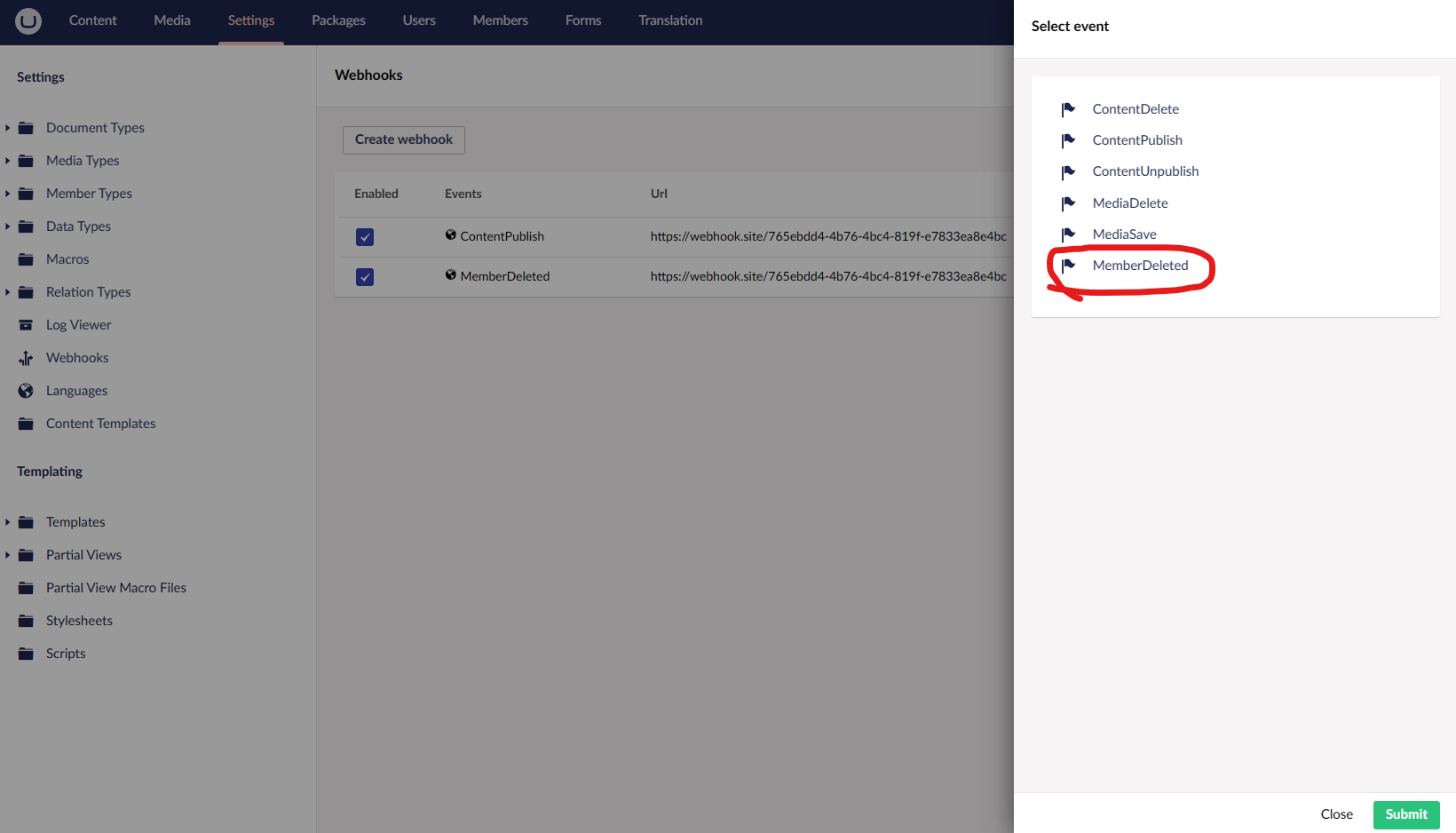
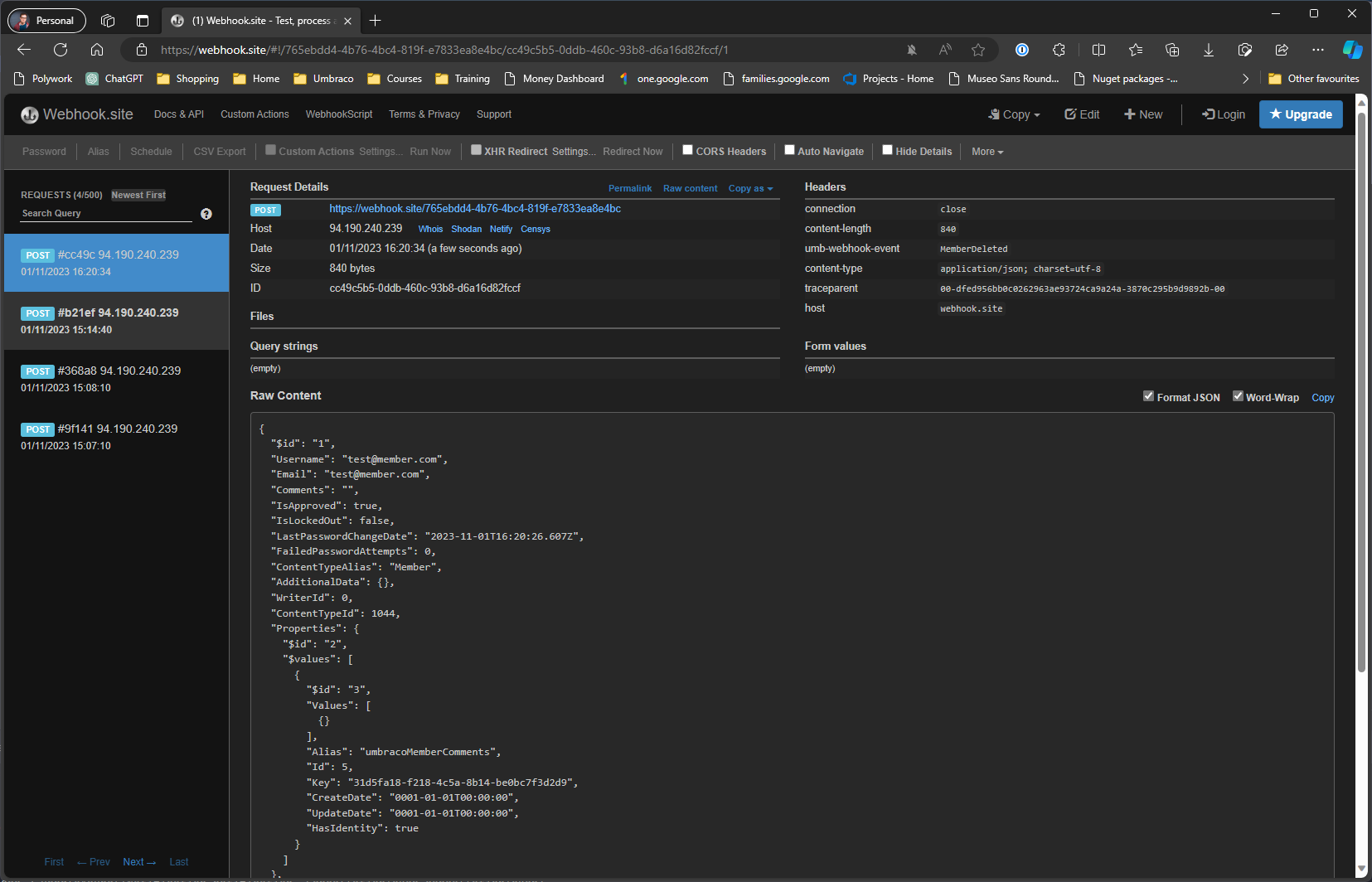
As you can see in the Umbraco backoffice I have a new event I can be notified and send out to a Webhook URL.
Notes
This is code running against Umbraco V13-rc1 and this could change and I have run into a bug with using Webhooks and made a suggestion on making the WebhookEventBase class a bit more flexible to work with a more broader range of notifications and hopefully including custom ones.
Update
A BIG thanks to Kevin Jump aka Mr uSync as he has spent a bit more time and has got a prototype working with uSync and even got some code working for recieving a Webhook from another Umbraco instance that is sending out Webhooks. Kudos Kevin.
If your curious to see how he has done it then take a look at these files in the GitHub repo
https://github.com/Jumoo/uSync.Webhooks/blob/master/uSync.Webhooks/Webhooks/uSyncExportCompletedWebhook.cs