I wanted to share a quick tip with you all. As with most of the Umbraco sites I build I use custom icons for document types such as a newspaper icon for a news article and so on.
Umbraco 7 has a great selection of about 300 icons courtesy of Helveticons. This is more than enough for most people but I wanted to experiment and explore with the idea of adding my own custom icons to the dialog in Umbraco 7.
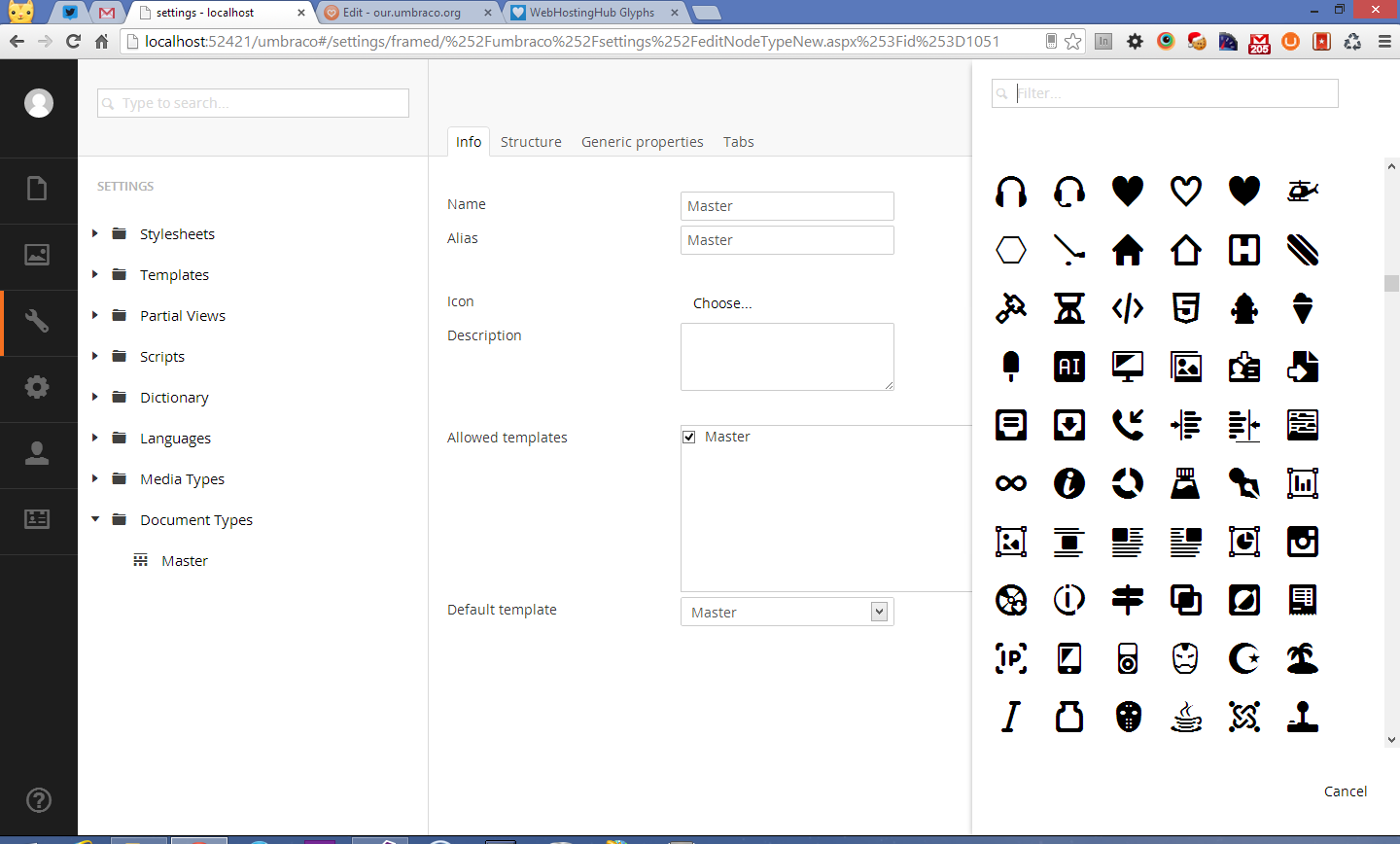
After quickly asking Per Ploug on how I could add icons to the list I got to work with creating a quick package to add over 2000+ icons which is way too many but was more of a experiment on performance to see how well Umbraco would cope and the answer is surprisingly fast in comparison to the 200 limit or so that Umbraco 6 and previous versions have.
So I give you Belle Icon Pack package that provides over 2000 icons from the webfont icon from WebHostingHub https://web.archive.org/web/20131204005549/http://our.umbraco.org:80/projects/backoffice-extensions/belle-icon-pack
So now you have the package installer I will quickly share with you how it’s done, it’s painfully simple. Have a web icon font either by creating your own or using a library.
Create a folder called MyIcons in App_Plugins in this folder place your icon font files here and then create a CSS file in the same folder and ensure each icon in the font uses the CSS class prefix of .icon- but I recommend you prefix it with something unique ensuring it starts with .icon- still. So for example .icon-myfont- so you avoid any conflict withy the default Umbraco icon sets.
The final piece of the puzzle to get Umbraco to register this CSS file and pick up our icon font in the dialog is to create a package.manifest file which is a JSON file.
In this file I need to have the following
{ "css": [ "~/App_Plugins/MyIcons/Icons.css" ]}With all these parts in place we now have access to our custom fonts in the icon picker dialog for our data types in Umbraco.
I hope this helps some of you out there.
Cheers Warren